 8 octobre 2026 au Salon Industrie Grand Ouest à Nantes. Prenez rendez-vous dès maintenant

Compose is the intelligent drafting assistant for tenders. Integrated into Microsoft Word, it helps you to structure and write specifications or technical and commercial proposals quickly, thanks to three complementary suggestion modes.
Main use cases
Clients and providers
Generative mode - Create customized content
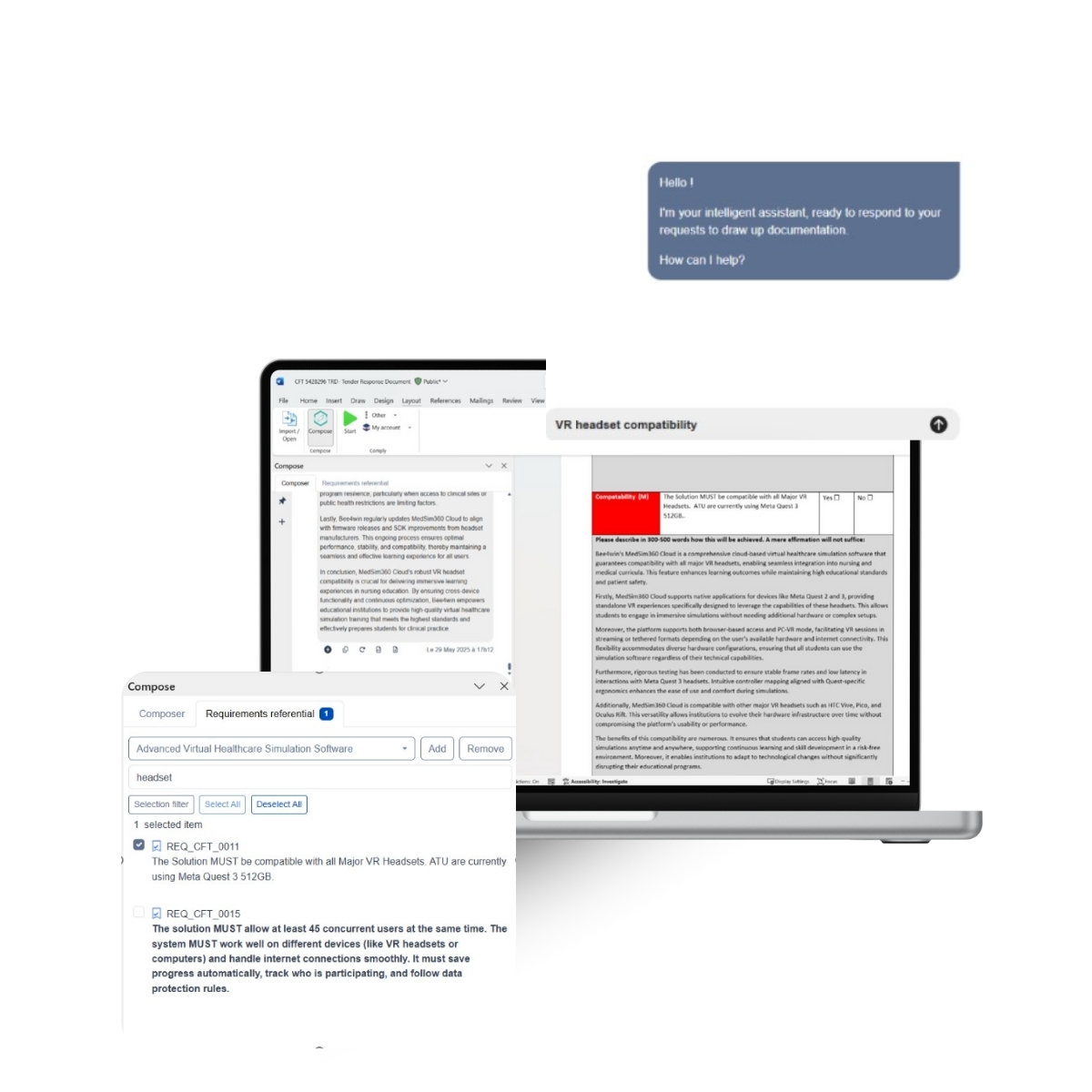
Need a new paragraph, customer presentation or comparison chart? Compose generates content from a simple brief.
- Subject matter
- Desired tone (formal, synthetic, persuasive…)
- Length, language, recipient
- Requirements to be met (thanks to Comply)
- Optional documentary corpus
An exchange thread allows you to adjust the content (make it more synthetic, add an argument, etc.) until validation. Then just click to insert it into your Word document.
Clients and providers
Document search mode - Reuse intelligently
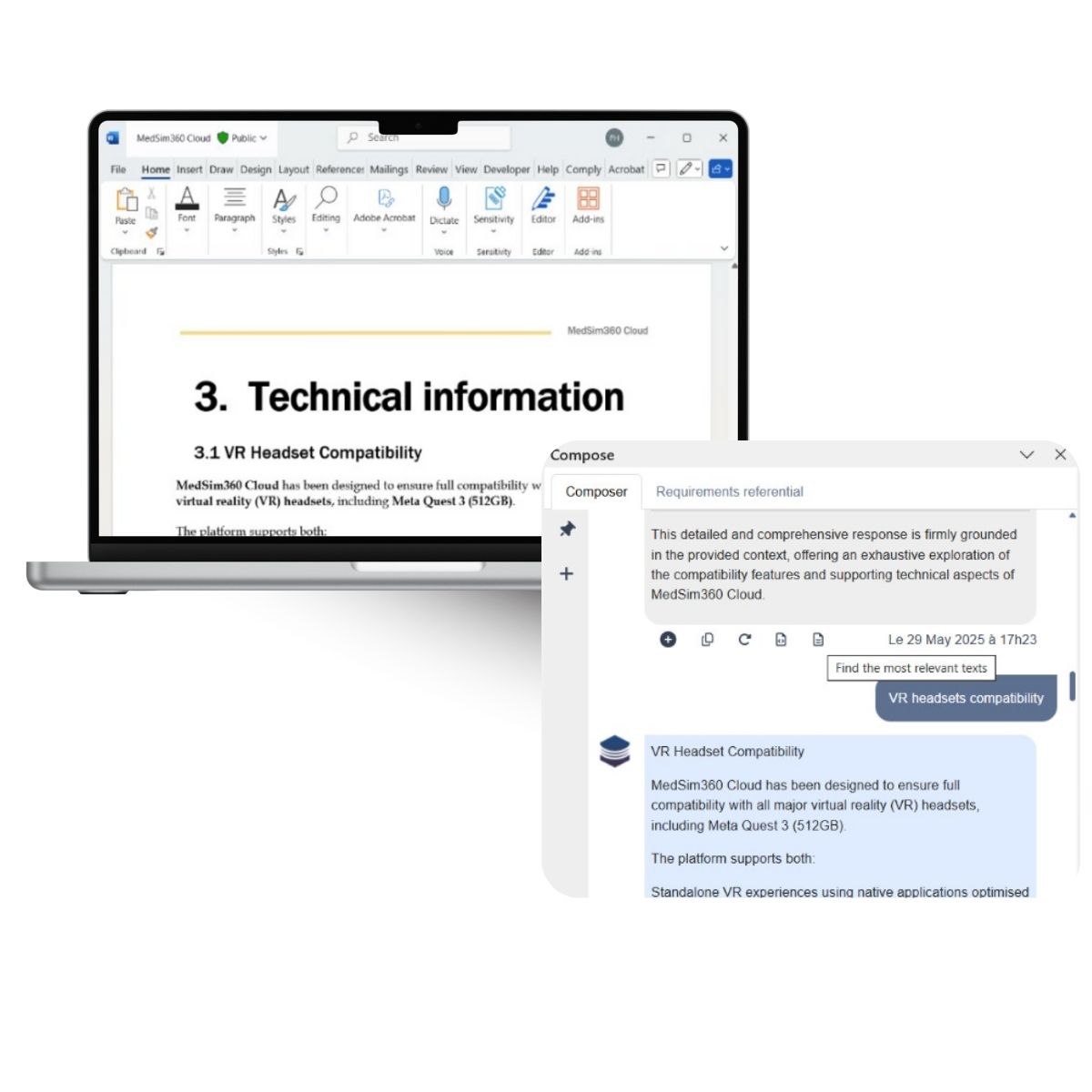
You know you have content already written on a given subject in a previous specification or response, but you don’t know exactly in which document or part of a document, and searching for it is time-consuming. You want to reuse this existing content without rewording it, because it has already been validated.
Compose helps you to find this existing content: it extracts the most relevant passages as they are from the corpus of documents you provide, indicating their source. This is ideal for .
- Reuse a validated text.
- Capitalize on what already exists.
- Ensuring consistency with other documents.
Clients and providers
Reformulation mode - Adapting what already exists to your needs
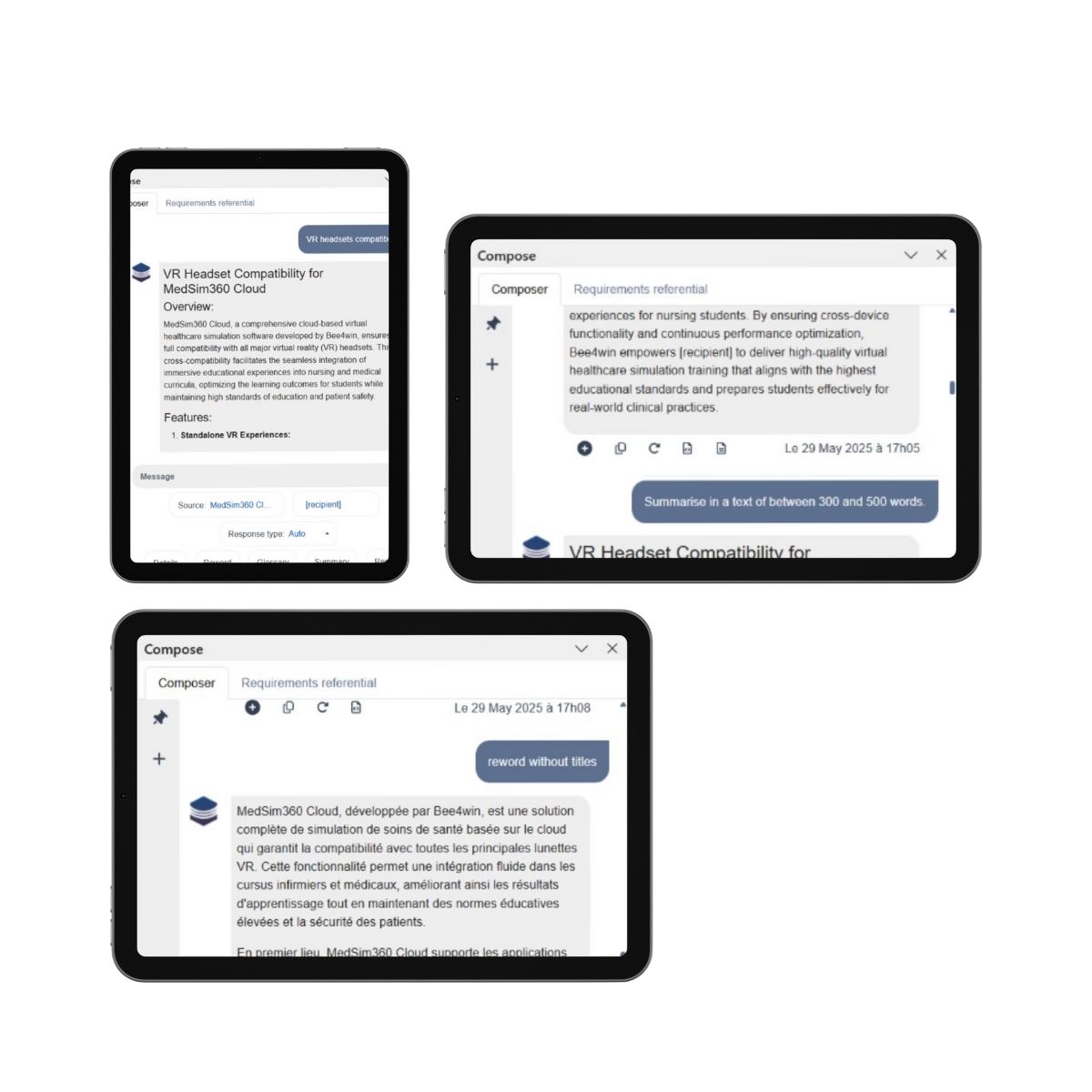
Select a passage in your Word document, then indicate what you wish to do.
- Summarize or expand
- Translate
- Create a glossary
- Adapt for a specific recipient
- …
You can refine the result via a discussion thread until you have the perfect content, ready to insert into your document.
Why choose Compose?
With Compose, you gain in productivity while reinforcing the rigor and relevance of your specifications or tender responses. Whatever your role (principal or service provider), Compose becomes your co-pilot for clear, contextualized, error-free writing.
Save precious time by avoiding a blank page
Improve the editorial quality of your documents
Adapt each piece of content to the tender context (customer, requirements, tone, language...)
Stay in Word, without changing your working habits
FAQ
With Compose’s document search feature, all you need to do is provide your collection of documents. Compose identifies and extracts the most relevant passages related to your needs, specifying their sources, which saves you from having to manually search through all your files.
Compose helps you avoid writer’s block by generating content based on a simple brief. You specify the topic, the desired tone (formal, concise, persuasive, etc.), the length, the language, and the audience, and Compose produces content that you can refine through a discussion thread until it’s approved. Then, with just one click, you can insert the result directly into your Word document.
Compose is also capable of drawing on a set of documents that you provide to generate content on a given topic, by identifying and adapting the most relevant parts of your document corpus.
Compose is seamlessly integrated into Microsoft Word. You don’t need to switch tools or work environments: you can write, research, and revise your content without leaving your document, and insert the result with a single click.
When generating content, you can specify the desired tone, language, target audience, length, and requirements (particularly through integration with Comply). Compose takes these parameters into account to produce content tailored to the specific context of your request for proposals.
Yes. Language is one of the settings you can configure when generating content. The rephrasing mode also allows you to translate a selected passage in your Word document.
Compose improves the writing quality of documents, tailors content to the context of each request for proposal (client, requirements, tone, language), and allows teams to build on the best responses they have already produced. This helps produce clearer, more relevant, and more consistent proposals faster.
Discover our services
Discover our commitments

Copyright © 2025 Bee4win